Capture entire webpages as one clean image.
LongShot is a Chrome extension that scrolls, stitches and saves long pages locally. Annotate screenshots, extract text with offline OCR, redact private details, merge images, and export to PNG, JPEG, WebP or PDF.
A working, publicly listed Chrome extension with 6,000+ users · Developed by wstszx
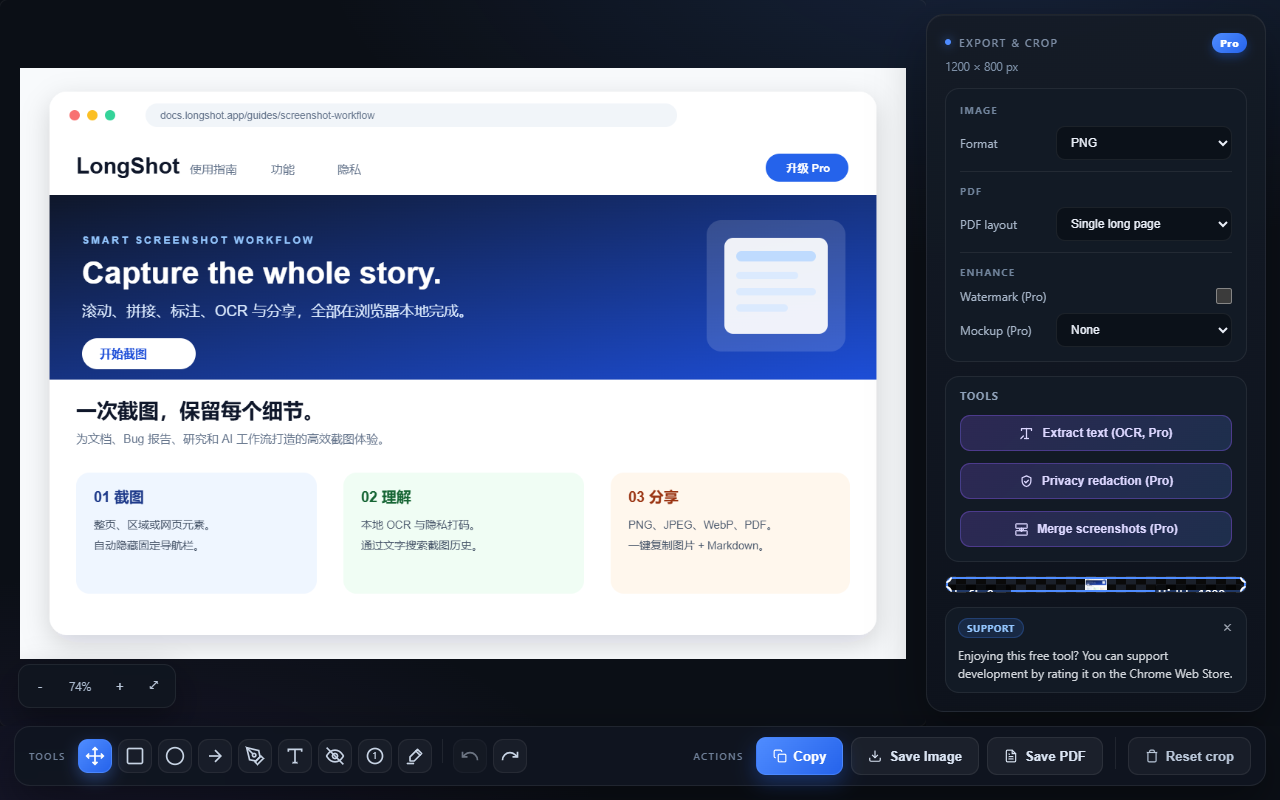
What LongShot does
Everything runs in your browser. Screenshots, page content and OCR text are never uploaded to our servers.
Four capture modes
Visible area, static region, scrolling region and full page. Pre-scroll lazy-loaded content, hide sticky headers, and cover pages that grow while scrolling.
Element capture
Right-click any element and choose “Capture this element.” LongShot detects its bounds and stitches it automatically if it is taller than the viewport.
Annotation and redaction
Crop, rectangles, circles, arrows, brush, text, mosaic, numbered steps, highlights, and one-click detection of phone numbers, emails, IDs and card numbers.
Offline OCR
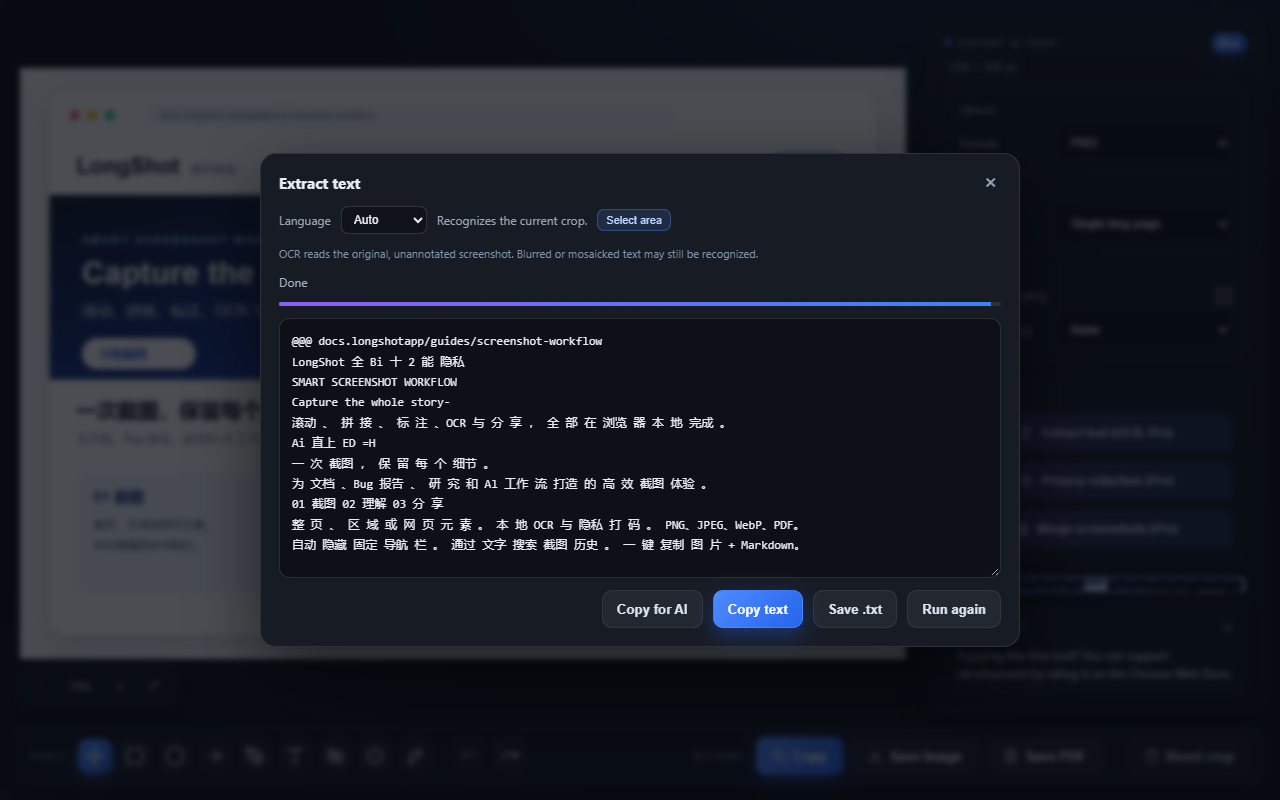
Recognize Chinese and English text from a full screenshot or a selected region. OCR text is added to the local history search index; recognition never leaves your device.
Merge and append
Append a new capture, a history item, or a local image to the current long screenshot. Widths are aligned and overlapping regions removed automatically.
Flexible export
PNG, JPEG, WebP, single-page and A4 paginated PDF, watermarks, macOS/Windows browser mockups, quick copy, quick save and image + Markdown copy.
Free and Pro
The free version is fully usable. Pro unlocks advanced features with a one-time lifetime license.
| Feature | Free | Pro |
|---|---|---|
| Capture modes and annotation | Yes | Yes |
| Local screenshot history | 10 items | 200 items |
| Custom capture presets | 2 | 50 |
| Offline OCR and OCR history search | No | Yes |
| One-click privacy redaction | No | Yes |
| Context-menu element capture | No | Yes |
| Merge / append screenshots | No | Yes |
| WebP, A4 PDF, watermarks, mockups | No | Yes |
Pricing
LongShot Free — $0 forever.
LongShot Pro — $19.90 USD one-time payment, up to 2 device activations. Regional taxes and the final total are shown at checkout.
- All Pro features listed above, unlocked with a lifetime license key.
- The license key is delivered by email after purchase by Dodo Payments.
- Enter the key in the extension settings; activation is validated with the Dodo Payments License API.
- An activated license can keep working offline for up to 14 days if the license server is temporarily unavailable.
To purchase Pro, install the extension and use the “Buy Pro” button in its settings page. The free version can be installed from the Chrome Web Store.
Payments are processed by Dodo Payments. LongShot does not collect card details. See the Terms of Service, Refund & Cancellation Policy and Privacy Policy.
Questions
Is my screenshot content uploaded anywhere?
No. Capture, stitching, annotation, OCR, redaction and merging all happen locally in your browser. Only a Pro license key and a randomly generated device label are sent to Dodo Payments when you activate or validate a license.
How do I receive my Pro license after paying?
Dodo Payments emails the license key to the address used at checkout. Paste it into LongShot’s settings page to unlock Pro. The key can be activated on up to 2 devices.
Is Pro a subscription?
No. It is a one-time purchase with no recurring charge. There is nothing to cancel.
What if the license server is offline?
An already activated Pro license remains usable offline for up to 14 days. The license is rechecked at most once per day.
How do I request a refund?
Email mywstszx@gmail.com within 14 days with your order details. See the full Refund & Cancellation Policy.
About
LongShot is built and maintained by wstszx. The source repository is public, the extension is listed on the Chrome Web Store with 6,000+ users, and product updates are documented in the changelog.
Questions or support: mywstszx@gmail.com